For radiologists
Read the scan. Skip the rest.
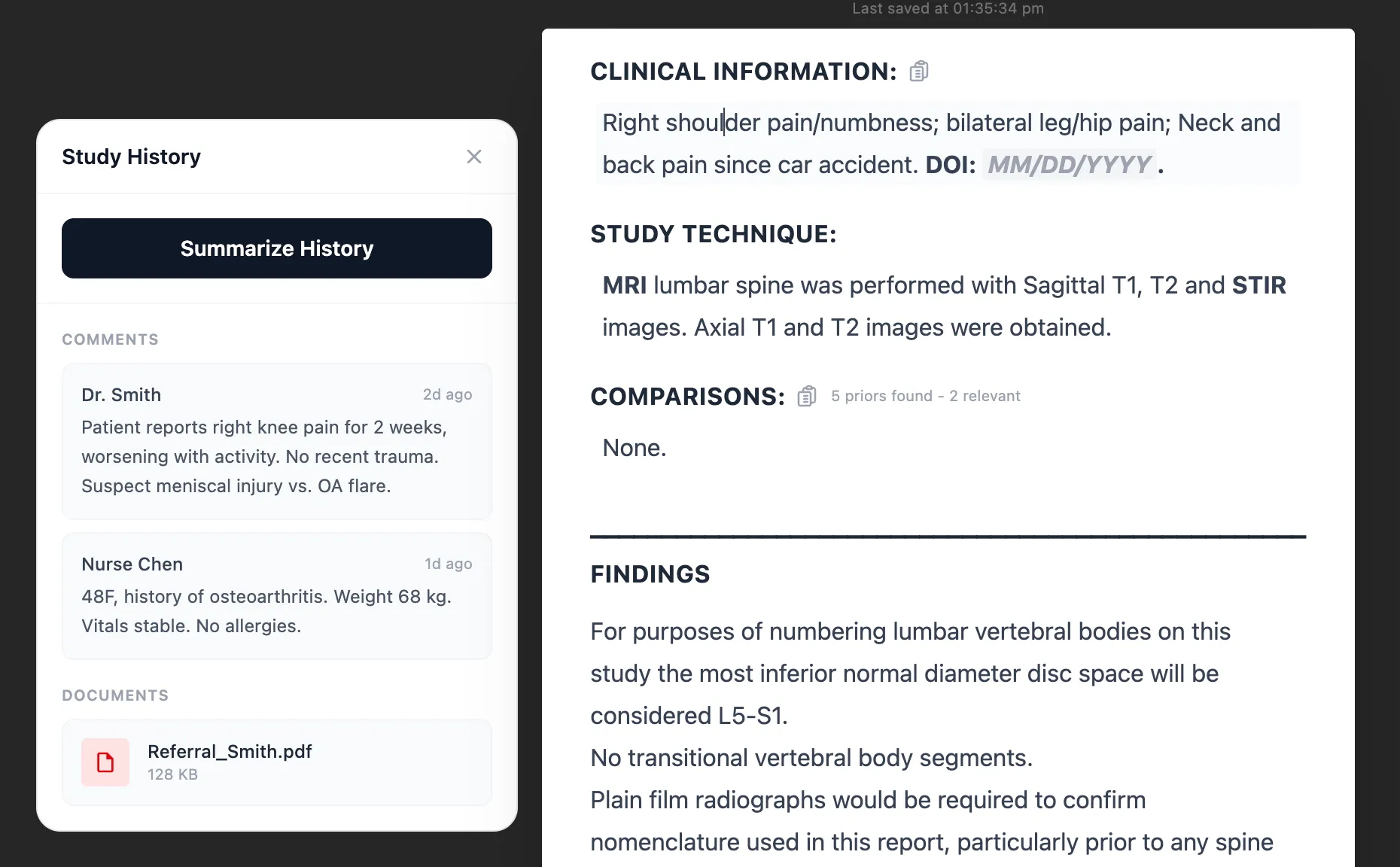
The history is summarized and the right prior is up before you open the study. You click what you see and ClickMatic writes the report. SkiaQA reads it back before you sign. You do the part that needs a radiologist.
- History summarized before you open the study
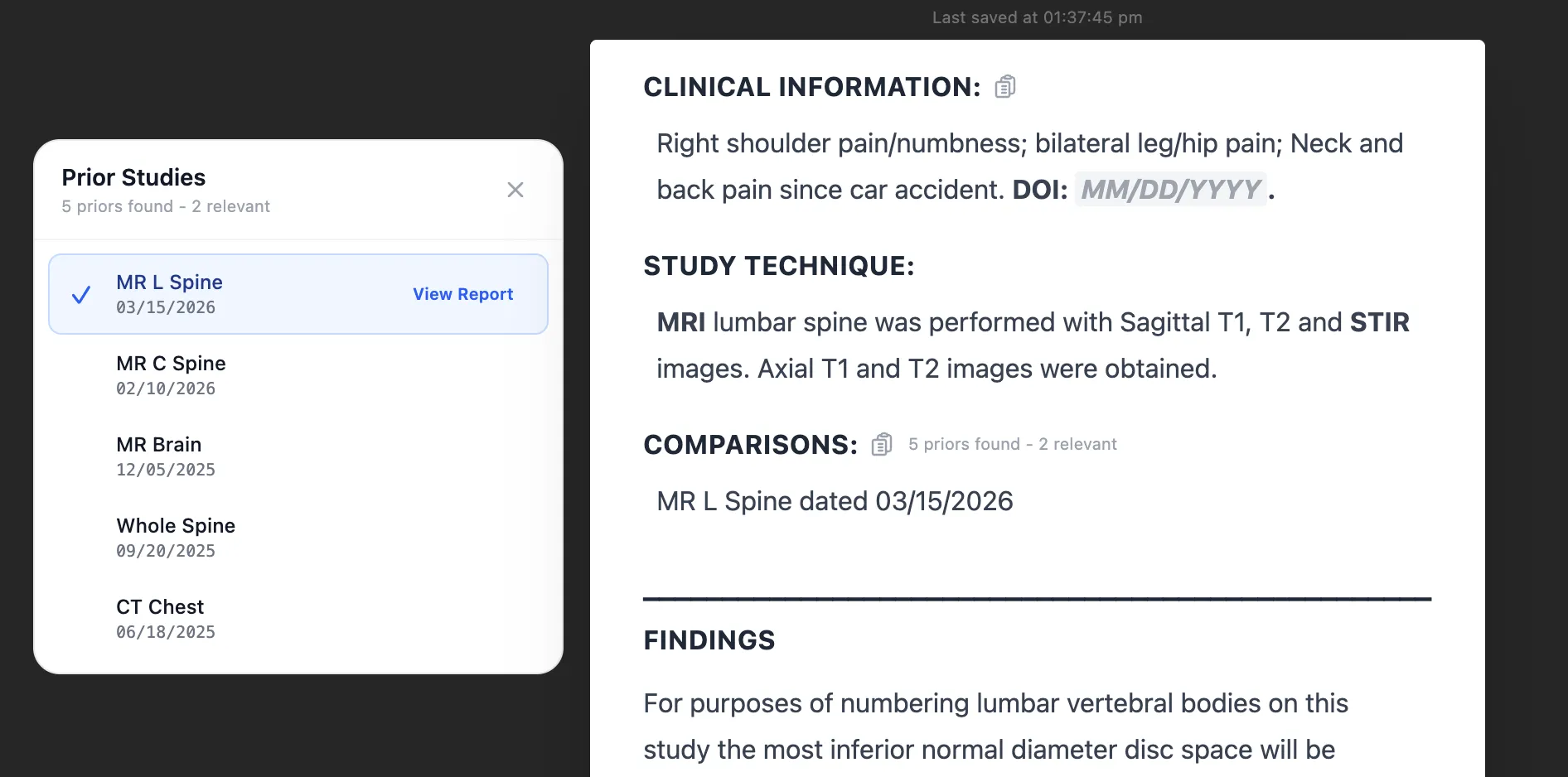
- The right prior, already pulled
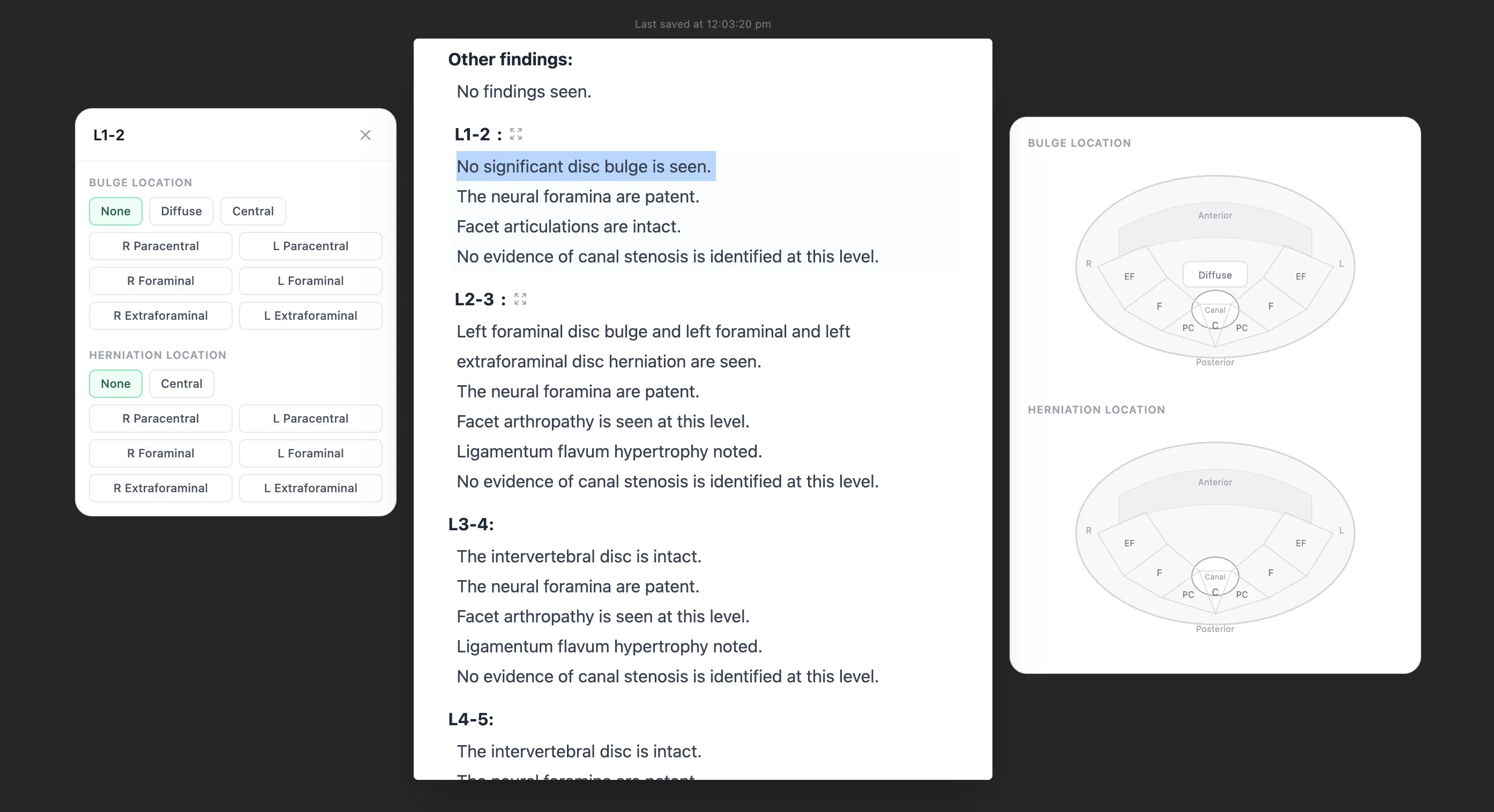
- Click the finding, the sentence writes itself
- Read back before you sign
01Why this exists
Too much of your shift is not reading
Before the read: dig up the clinical history, open the old report, find the right prior and line it up. During the report: dictate, wait, read it back, fix the "no" that dropped out and the "left" that came out "right". After: read your own report one more time for the slip you know happens at hour nine.
Each one is a minute or two. Over a list of sixty they add up to the hour you were going to leave on time.
Skia takes those minutes back, one step at a time, without changing how you read or how you sign.
02Before you start
The history and the comparison are already there
Open a study and the context is waiting. Prior reports, clinical notes, and the referral are pulled and summarized. The relevant prior is found and lined up for comparison. No hunting through windows, no "no priors available" that turns out to be wrong, no starting a report without the full picture.
03ClickMatic
Click the findings. The report writes itself.
ClickMatic replaces dictation for routine reporting. Select what you see and the sentence is written in precise wording, the same way every time. Nothing to transcribe, nothing to read back for recognition errors, and no hedging that creeps in at hour nine.
It lives in the SkiaReporter editor and as a small widget that floats over your PACS viewer, so your eyes stay on the images while the report builds behind them.
- 1
The right template opens
Modality and body part pick the template. No searching, no blank page.
- 2
Click the findings
Pick the finding, where it is, and its details. Each click drops in precise wording.
- 3
The impression follows
Built from the findings you selected, so every line traces back to a click.
04SkiaQA
A second read of your report, in seconds
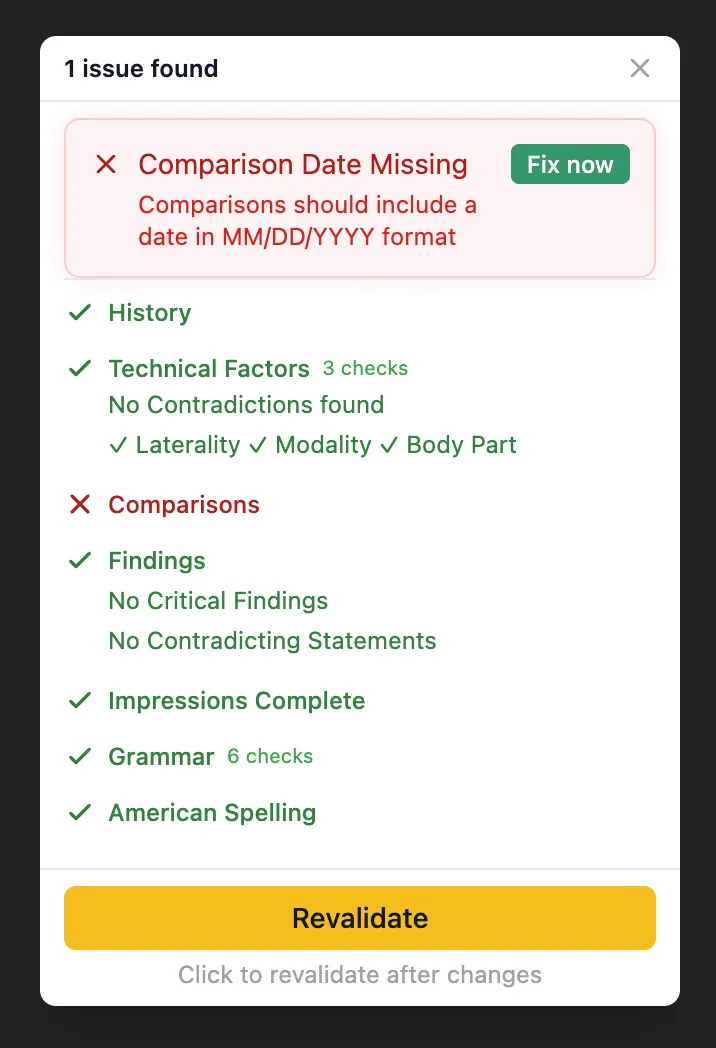
Before you submit, SkiaQA reads the report against clinical consistency rules. It uses the same history and comparison Skia pulled for you, so a missing prior or a mismatched date is caught, not assumed.
Flags show up inline. Fix once, sign clean, and nobody calls you about it next week.
- Laterality that disagrees between findings and impression
- Missing or mismatched comparison dates
- Statements that contradict each other
- An impression that leaves out a significant finding
- Missing history, technique, or required sections
- Critical findings that need to be communicated
05Still your report
Faster without sounding like someone else
Style learning
Skia learns how you phrase and structure reports from your routine work, with no setup.
Personal templates
Build your own template library over time. The right one loads for each study.
Always editable
Every report stays fully editable. Nothing signs without you.
What changes
Less typing, less checking, more reading
- 30 to 40%
- Faster reporting
- 70 to 90%
- Impressions generated from your clicks
- Every
- Report read back before you sign
- Zero
- Patient data stored by Skia
Figures observed in early reporting workflows. Results vary by case mix, modality, and team.
06Common questions
What radiologists ask us first
What is ClickMatic?
ClickMatic is the click to report engine in SkiaReporter. You select findings, their location, and their details, and the report writes itself in clinically precise wording. It works in the editor or as a small widget that floats over your PACS viewer.
Where do the history and comparison come from?
Skia pulls prior reports, clinical comments, and referral documents for the patient and summarizes them before you open the study. It also finds the relevant prior for comparison, so you are not searching across windows for it.
Is the impression written by AI guessing what I meant?
No. The impression is assembled from the exact findings you selected. Every word traces back to something you clicked, so there are no fabricated conclusions to read back and correct.
Does SkiaQA slow down signing?
No. The checks run in seconds while you finalize the report. If something is flagged, you see it inline and fix it before you submit.
Will my reports still sound like me?
Yes. Style learning picks up how you phrase and structure reports from routine work, and every report stays fully editable.
Do I have to switch everything at once?
No. Adopt ClickMatic study type by study type, at your own pace. The QA check and the automatic history work however you report today.
Is this going to replace me?
No. Skia writes the sentence for the finding you chose. It does not find the finding, it does not decide what matters, and nothing signs without you.
Does it work with my PACS viewer?
The ClickMatic widget floats over the viewer you already use and writes into the report behind it. Your data never leaves your PACS, and Skia stores zero patient data.
07Further reading
Go deeper on the problems this solves
Click to Report vs Dictation: Why the Fastest Radiologists Are Switching
Dictation has run radiology reporting for decades. Click-based reporting is faster, more consistent, and less error-prone. A detailed workflow comparison.
Read articleRadiology impression writing that stays fast and clear
Radiology impression writing slows many reports. Learn how to keep impressions faster, clearer, and aligned with findings during busy clinical workflow.
Read articleCommon errors in radiology reports and how to stop them
Learn the common errors in radiology reports, why they reach clients, and how to catch laterality, contradiction, and communication issues before sign-off.
Read articleRadiology peer review vs automated QA in real practice
Compare radiology peer review and automated QA by timing, coverage, and value so you know which method prevents report defects and which improves learning.
Read articleHow other teams use Skia
Built for the way your team works
Report your next study on Skia
Twenty minutes with your own study types. Bring the report you dread writing.